
Get a FOB
Log on to old Paxton server.
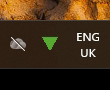
In the system tray (bottom right hand corner of the toolbar) there will be a triangle icon. Ensure the service is running otherwise you won't be able to open the software.
Open Net2 Access Control and go to Events.
Swipe FOB to put an entry into the Events table, and see who the FOB belonged to.
Click the entry and rename to new user, and check serial number for FOB is correct.
Apply changes.